Browser Extensions AI QA, remediation, and rollout Browser Extension + Monitoring Platform

Capture what your AI said. Fix what matters. Prove the outcome.

Review customer-facing AI answers with screenshots, prompt history, risk labels, approval workflows, signed evidence bundles, onboarding templates, and scheduled retesting across chatbots, AI search, and support widgets.

Audit-ready recordsScheduled AI testingRegression verificationWorkflow integrationsImplementation playbooksTeam ownership controlsproduct fit 24/7scheduled monitoring10+workflow integrations6prebuilt vertical packs4-steplaunch playbook
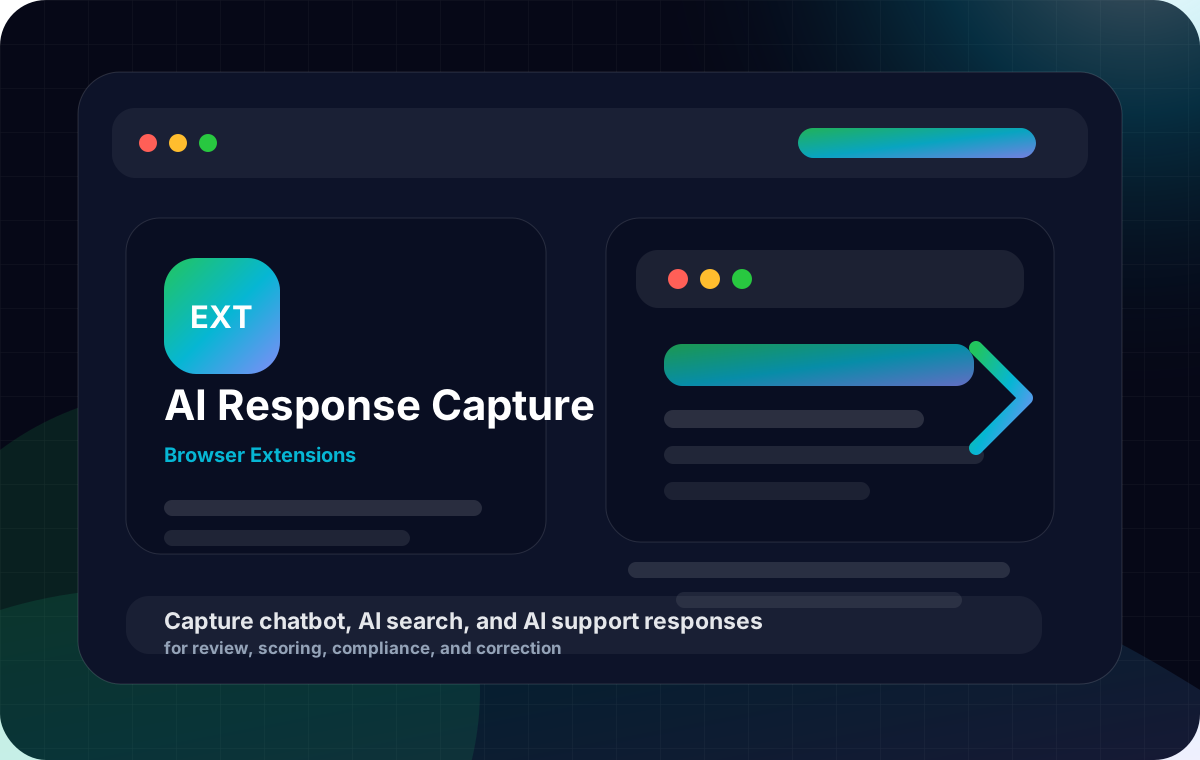
AI Response Capture Extension product artwork
Product details

What it does

AI Response Capture Extension helps teams capture chatbot, AI search, and AI support responses, then turn every answer into a reviewable record with screenshots, prompts, timestamps, source URLs, risk labels, and correction tracking. Beyond live capture, teams can run scheduled prompt suites across multiple AI surfaces, route failed answers into ticketing and service workflows, verify fixes with regression testing, and maintain a clear history of what the AI said, when it said it, and how issues were resolved. The platform also includes implementation playbooks, onboarding templates, approval workflows, ownership controls, and savings calculators that help teams launch quickly and prove operational value.

CategoryBrowser Extensions
Pricing modelWorkspace pricing based on users, monitored AI surfaces, captured responses, evidence retention, workflow integrations, onboarding templates, and client or department workspaces.
Best forAgencies, enterprise SaaS support teams, healthcare administration teams, insurance and financial services operations, legal intake teams, education teams, compliance-sensitive organizations, and AI QA managers.
Feature set

Key product features

Capture AI responses with screenshots, prompts, source URLs, page context, and immutable timestamps

Run scheduled prompt suites across chat widgets, AI search experiences, and support bots

Save expected-answer rules, risk categories, and pass/fail checks for repeatable testing

Track answer drift, recurring hallucinations, policy issues, and regression results over time

Create correction tasks, assign owners, route approvals, and verify fixes with automated scenario retesting

Maintain exportable audit logs with reviewer identity, response history, retention controls, and legal hold options

Generate tamper-evident evidence bundles with before-and-after remediation proof

Route failed answers into Jira, Linear, Zendesk, Intercom, Salesforce Service Cloud, Slack, Microsoft Teams, and GRC workflows

Manage separate client or department workspaces with dashboards, role controls, private notes, approval paths, and proof-of-work exports

Use prebuilt vertical packs for healthcare administration, insurance, financial services, legal intake, education, and SaaS support

Launch faster with implementation playbooks, admin setup guides, launch checklists, and success milestones

Start with onboarding template libraries for agencies and internal teams, including forms, dashboards, task lists, workflow presets, and stakeholder updates

Use role-based permissions, assignment ownership, manager visibility, and approval checkpoints for cleaner team operations

Estimate time saved and avoided issue costs with buyer-friendly savings calculators and operational impact snapshots

Narrow to the highest-value buyer segment

Add exportable handoff and reporting workflow

Add executive risk reporting and drift SLAs

Policy-as-test engine

Use cases

Where it helps

Audit what customer-facing AI tools actually tell users across live websites and support flows

Prove that fixes were made by rerunning saved prompts and comparing results over time

Create tickets automatically when risky answers appear in support, intake, or service workflows

Give agencies a client-ready record of testing, findings, remediation, retesting, and rollout milestones

Monitor policy-sensitive AI answers in healthcare administration, financial services, insurance, legal intake, and education

Catch answer drift before it impacts support quality, lead intake, or customer trust

Build repeatable QA workflows for product launches, content updates, bot retraining, and post-release verification

Maintain signed evidence and retention controls for teams that need stronger audit confidence

Standardize implementation across departments with ready-made templates, ownership rules, and approval workflows

Show leadership how monitoring reduces manual review time and speeds resolution with clear savings estimates

How it works

From live capture to verified correction

Use the extension for one-off captures or run repeatable monitoring workflows that create a lasting record of what your AI said, who reviewed it, what changed, and whether the fix held up.

Request demo

Capture the exact answer Save the AI response with screenshot, prompt, URL, page context, date, and timestamped evidence for later review.

Route issues into team workflows Turn risky answers into remediation tasks in Jira, Linear, Zendesk, Intercom, Salesforce Service Cloud, Slack, Teams, or GRC workflows so owners can act fast.

Retest and verify the fix Rerun saved prompts against chatbots and AI search flows to confirm the answer was corrected and stays corrected over time.

Implementation made simple

Launch with a clear rollout plan

Give operations, support, compliance, and agency teams a guided setup path with practical launch materials instead of starting from scratch.

Implementation playbook Follow admin setup steps, workspace configuration guidance, launch checklists, and milestone tracking to move from pilot to production faster.

Template library Start with ready-made intake forms, task lists, notification messages, dashboards, and workflow presets for agencies and internal teams.

Success milestones Track rollout progress with review cadence recommendations, ownership handoffs, and verification checkpoints that keep teams aligned.

Team operations

Built for shared ownership and approvals

Keep issue review, remediation, and verification organized with the controls teams need for day-to-day AI QA management.

Role-based permissions Set reviewer, approver, manager, and workspace access levels so each team sees the right records and actions.

Assignment ownership Assign findings to clear owners, track due dates, and maintain accountability from detection through verified correction.

Private notes and manager visibility Separate internal collaboration from export-ready reporting while giving leaders a clean view into open issues and team progress.

Platform companion

More than a browser extension

The extension captures the evidence. The platform monitors AI surfaces at scale with dashboards, role controls, APIs, retention settings, exports, and regression reports for teams that need ongoing visibility.

Scheduled monitoring dashboard Track captures, open issues, retest status, recurring failures, and trend lines across multiple AI experiences in one place.

API and workflow connectivity Connect captures, remediation records, and verification steps into service, ticketing, and governance workflows without manual copying.

Retention and evidence policies Set evidence retention windows, legal hold options, reviewer attestation, and export preferences that match your operating requirements.

Operational impact

Show the value of faster AI QA

Help buyers understand the payoff with simple proof points tied to time saved, issue prevention, and stronger remediation discipline.

Savings calculator Estimate review hours saved, avoided escalations, and the impact of catching incorrect answers before customers act on them.

Avoided-error examples Show common high-risk scenarios such as policy misstatements, intake confusion, or support errors that can be caught earlier.

Buyer-ready reporting Share clear summaries of capture volume, issue categories, fix rates, and retest outcomes to support internal adoption and renewals.

Vertical focus

Prebuilt packs for high-stakes AI workflows

Start faster with prebuilt prompt suites, risk labels, expected-answer rules, and export templates designed for common customer-facing AI scenarios.

Healthcare administration Review benefits, scheduling, referrals, billing, and patient service answers with healthcare-focused policy labels and test scenarios.

Insurance and financial services Monitor claims, coverage, account, eligibility, and policy-related answers where accuracy and consistency matter most.

Legal intake and education Check intake guidance, admissions answers, and policy-sensitive responses with structured review workflows and reusable prompts.

SaaS support and agencies Test product support bots, help-center AI, and client AI deployments with shared reporting, onboarding templates, and clean retest histories.

Pricing

Commercial packaging

Editable pricing cards exported directly in the product catalog JSON.

Starter

$99/mo

For small teams that need live capture, review, and basic evidence history.

  • 1 workspace
  • Captured response tracking
  • Screenshots, prompts, URLs, and timestamps
  • Manual review and tagging
  • 30-day evidence retention
  • Quick-start setup checklist
Request pricing
Recommended

Team

$299/mo

For shared QA workflows with scheduled testing, remediation routing, approvals, and richer reporting.

  • Shared workspace and reviewer roles
  • Scheduled prompt suites
  • Expected-answer rules and pass/fail checks
  • Correction tasks, ownership, and retest history
  • Approval flows, private notes, and manager visibility
  • Jira, Linear, Slack, and Teams integrations
  • Expanded evidence retention and exports
  • Onboarding templates and rollout playbooks
Request pricing

Business

Custom

For agencies and compliance-focused teams that need multi-workspace management, signed evidence, longer retention, and enterprise integrations.

  • Multiple client or department workspaces
  • Prebuilt vertical compliance packs
  • Tamper-evident evidence bundles
  • Legal hold and long-term retention controls
  • Zendesk, Intercom, Salesforce Service Cloud, GRC, and custom integrations
  • Advanced exports, reviewer attestation, and audit logs
  • Implementation support with launch milestones
  • Savings reporting and executive-ready summaries
Request pricing
FAQ

Buyer questions

What does the extension capture?

It captures AI responses along with screenshots, prompts, page context, source URLs, timestamps, and other details needed to review exactly what the user saw.

Can we retest known problem prompts automatically?

Yes. Teams can save prompt scenarios, set expected-answer rules, schedule retests, and confirm whether a corrected answer stays fixed over time.

Does it work for chatbots, AI search, and support widgets?

Yes. It is designed for customer-facing AI experiences including website chat, support bots, and AI-powered search or answer interfaces.

Can issues be sent into our existing workflow tools?

Yes. Teams can route failed answers and remediation tasks into tools such as Jira, Linear, Zendesk, Intercom, Salesforce Service Cloud, Slack, Microsoft Teams, and selected governance workflows.

Do you support regulated or policy-sensitive workflows?

Yes. Teams can classify findings by policy category and severity, use prebuilt vertical packs, maintain detailed evidence records, and create a clear review and remediation trail.

Can agencies manage separate client environments?

Yes. Agencies can use separate workspaces for different clients, apply reusable onboarding templates, keep records organized, and export proof-of-work reports for each engagement.

What makes the evidence audit-ready?

The product stores screenshots, prompts, timestamps, reviewer actions, attestation details, retest history, and exportable evidence bundles so teams can clearly show what happened, what changed, and when it was verified.

How do new teams get started quickly?

Teams can begin with implementation playbooks, setup checklists, onboarding templates, and recommended workflow presets that speed up launch and reduce internal coordination time.

Can managers control who can review, approve, and export records?

Yes. Role-based permissions, assignment ownership, approval flows, and manager visibility help teams keep review and remediation work structured and secure.

How can we show the business value internally?

The platform supports savings estimates, issue trend reporting, and buyer-friendly summaries that highlight time saved, reduced manual review effort, and faster correction cycles.

Next step

See how AI answer monitoring fits your workflow

Talk through your AI surfaces, review process, remediation tools, and rollout goals. We’ll show a practical setup path for your team or clients.